
With my lack of experience working with technology, the thought of “programming”, even for dummies, was scary. App inventor give you so many options to use, the Legos, but yet I was still having troubling figuring out what to do and how to do anything.
To begin, I started with what we were shown to do in class, with the button and the labels and when you press the button, something with the label’s changes. From there I made it so I when I clicked the button, my label became seven times the size it was before. But that wasn’t enough. I started trying to mess with options we hadn’t discusses in class, like the date changer and the timer. However, I decided those were both too advanced for me once I got to the blocks and there were too many options.
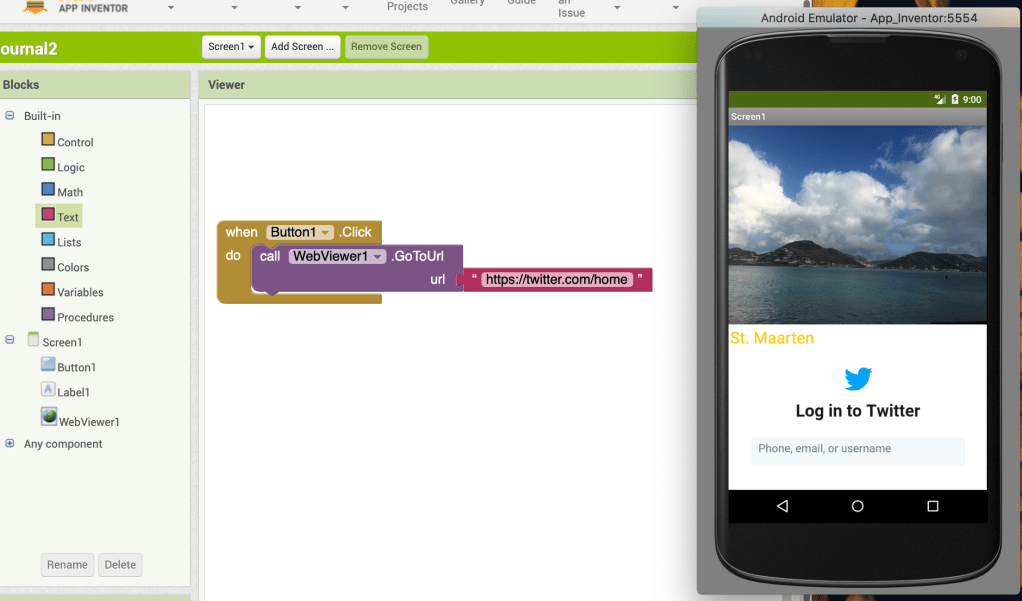
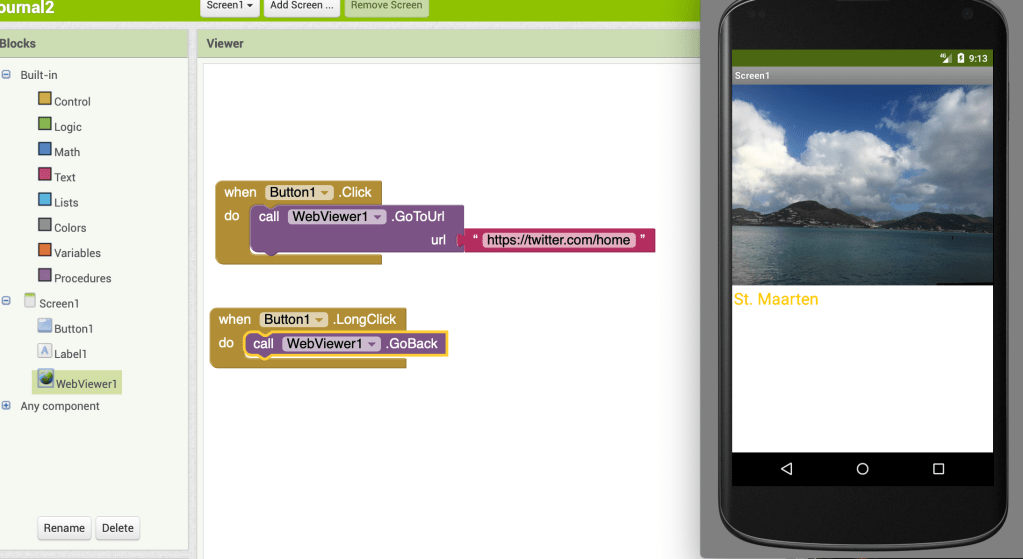
I finally decided that I want to try something somewhat simple, and something that I feel like every app has, a button that takes you to another website. I figured out how to set the button up so when there’s a long click, it will open up a website, in this case Twitter. With this experience, I was able to figure out that there isn’t really a way to mess up, as long as you have blocks in places, something will happen when you touch the button.
 Haley's Blog