Blog Journal 8

In the textbook, they mention the use of recorded books that students can use if they have trouble reading. The books are usually in their grade level and they can be used to help students that struggle to comprehend what they are reading but do better with hearing. For one of my classes, I am involved in service learning, so I go to a first grade classroom twice a week to help out a teacher. In that class, there is a wide range of readers, some better than others. I have noticed that a lot of times, the lower level students will sit down and listen to a story on tape, while other kids read it, and this helps them understand the main idea and catch on to details that they wouldn’t be able to if they were having to read it on their own. The point of this help is to catch them up to the other kids in hopes that they will soon be able to read the stories on their own.

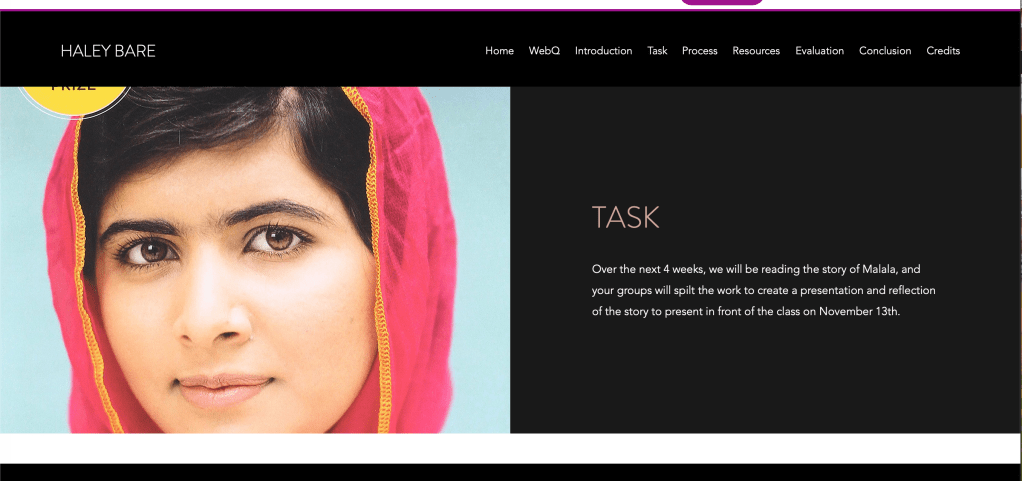
During the WebQuest assignment, I had a bunch of ups and downs. I liked the idea of creating a website, its a new way to give students information about their work. However, I feel like this would only really be good if the assignment is something that is done over and over again. Maybe it was because of the topic I chose, but it seemed a little too much for the assignment, and it seemed like I could have put those instructions on a sheet of paper to pass out to students or even as a powerpoint. This assignment can be used in the future if I were to create my own business, as I would need a website for people to reach me, and through this I was able to be comfortable in adding and deleting pages.
https://haleybare.wixsite.com/website/about

I commented on Sheighlin’s and Mycah’s post 7!
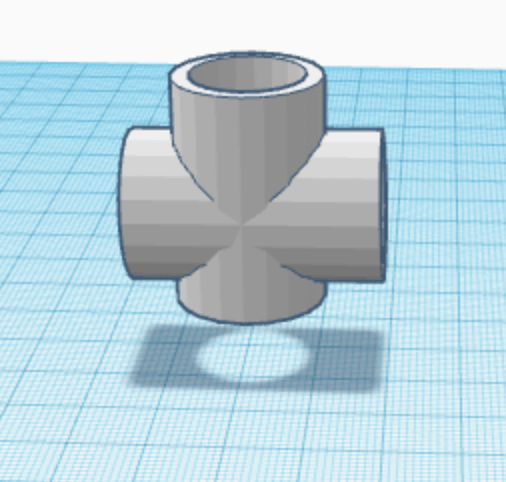
3D Modeling

So just imagine a 19 year old college student who loves kids and people, but can barely get her phone to work when she wants it too. Now imagine that same girl trying to create 3D objects on some random software website thing (see she doesn’t even know the difference between a website and a software). However, on Wednesday, she makes it happen.

It’s 7 pm when I wake up from one of the many naps I took, convinced its because of the flu, and I remember that there is supposed to be an assignment due based on these dumb objects that you, the teacher, showed.

The first one was a PVC pipe. Yeah this one was pretty easy. Make some cylinders, make some more and then make holes. Ya know, basic stuff.

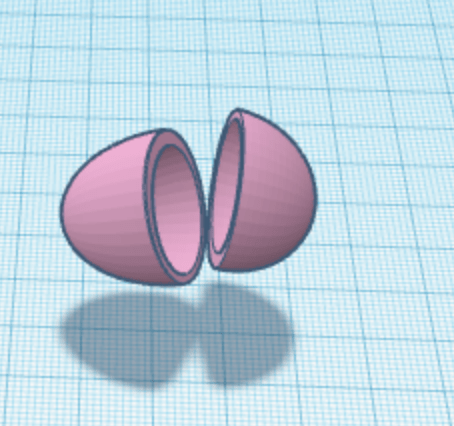
Then the egg. Also pretty easy, basically the same thing as the pipe, two half circles, two more to make it hollow.

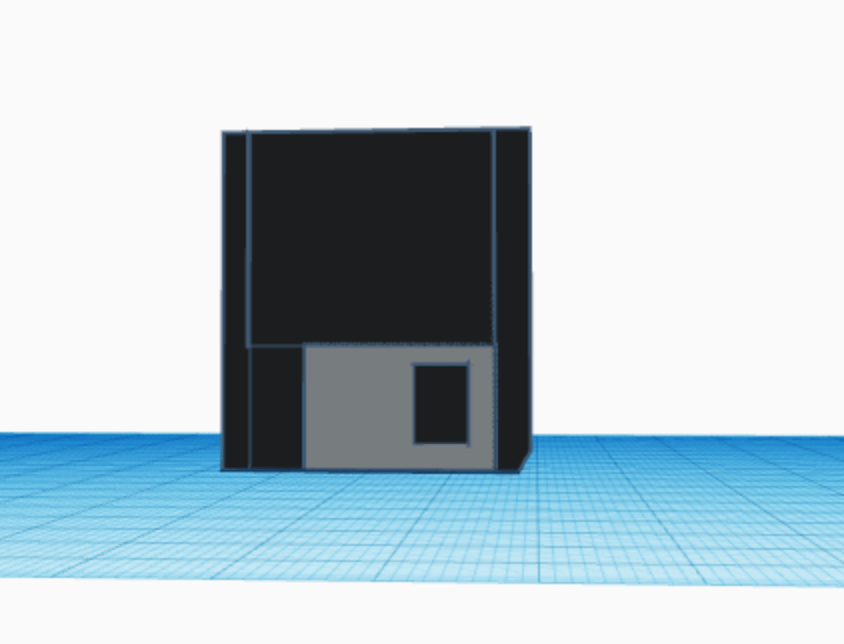
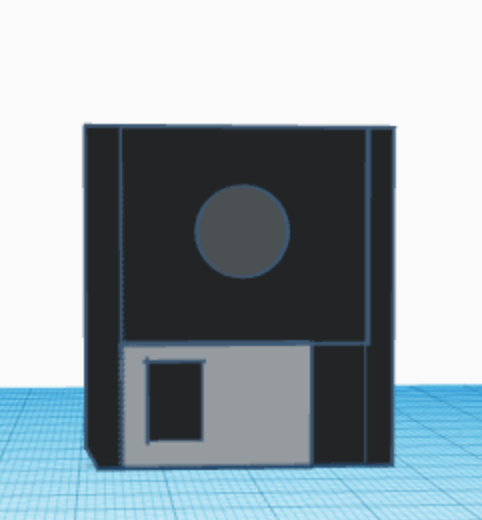
Okay then we get to the floppy disk, this is where I start deteriorating. By this point, I am in my bed with tissues all around me because I can’t breathe and this one makes me wanna quit and just take the zero cause what’s the worst that can happen? But I don’t quit, I make it happen. Took me like an hour but I did and I think that should mean something. I used some cubes, and spheres and more cubes, and more spheres but I think it turned out alright. I almost forgot the cut out corner but haha I didnt.

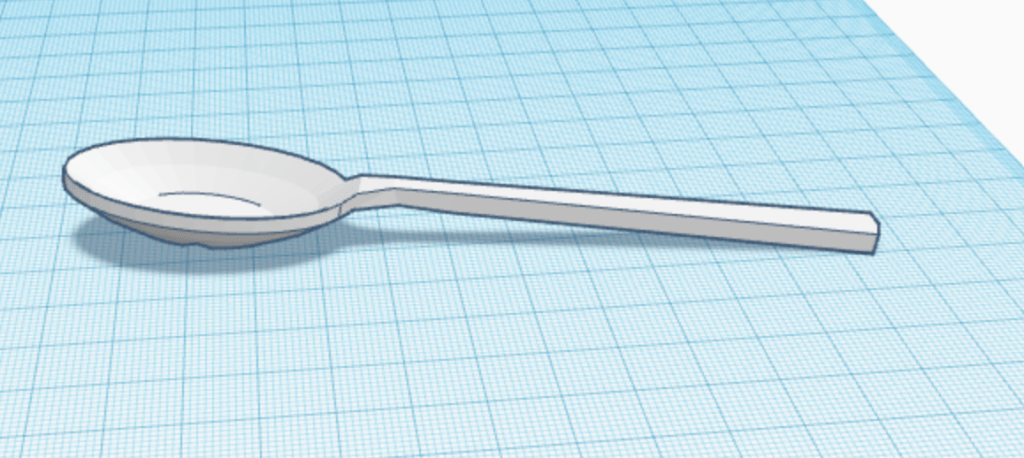
And then we get to the spoon. I honestly did this one in class while you were showing me how to do it and I got lost but I think it looks useable. I mean I would eat cereal with it. I used the half circle for the base of the spoon, with another one to make it concave. Rectangles and cubes to make the arm thingy. Yeah she’s not cute but it’ll work.

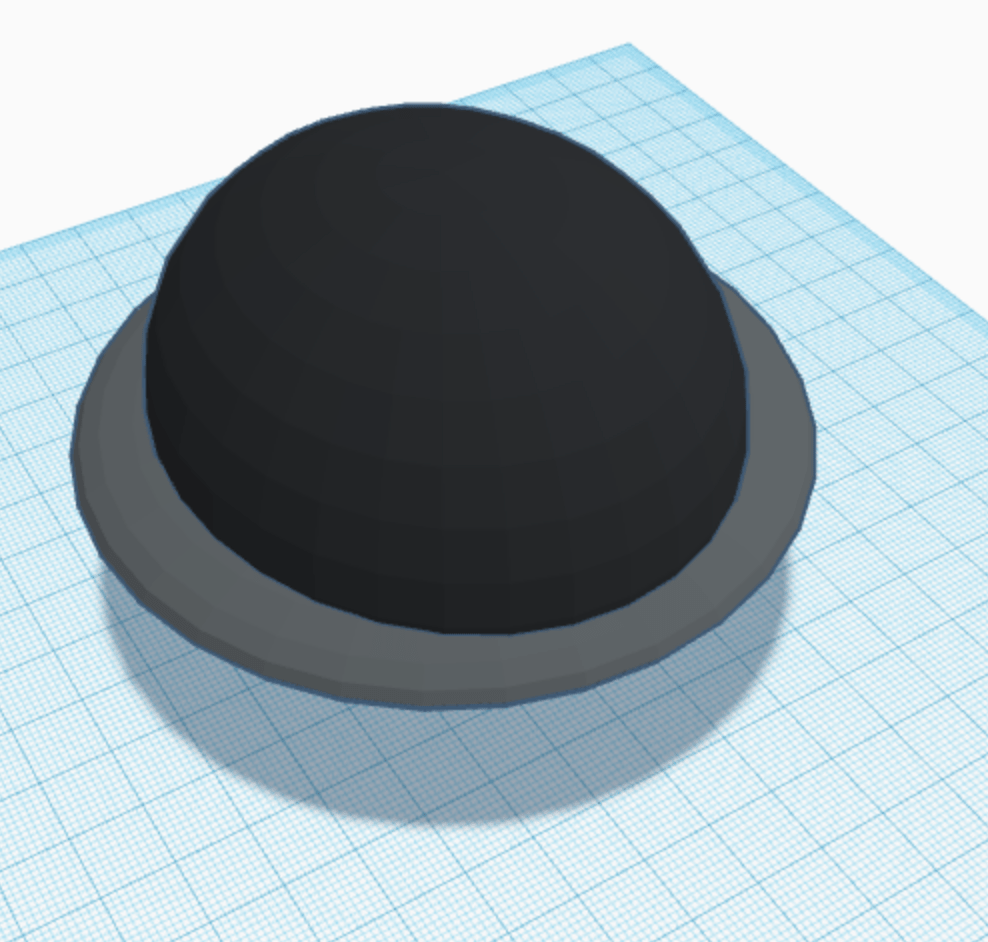
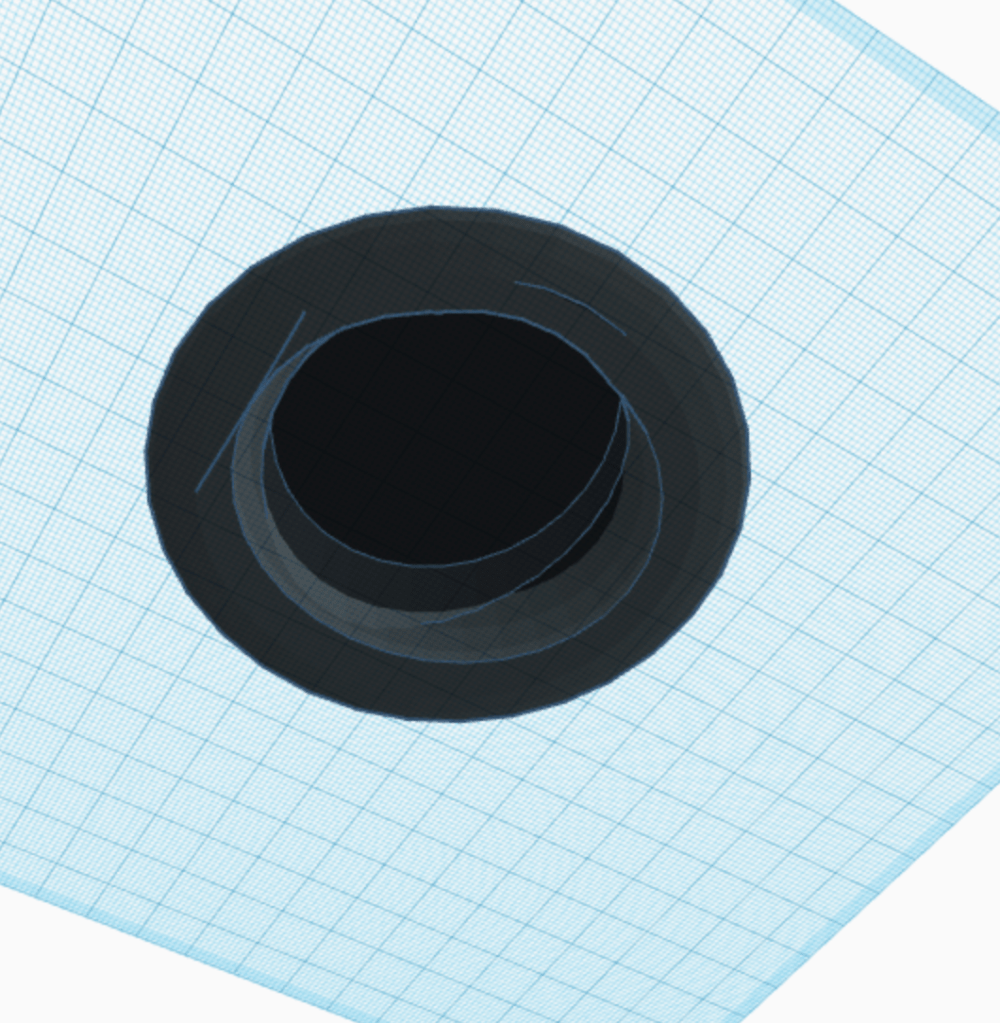
Oh my god, the bowler hat. This one made me actually wanna drink all the NyQuil I had in my apartment. Not just mine, but my roommates too, hoping it would take me out. It took me an hour to figure out how to make it so that when I the flat bill, it wouldn’t cut into the head part. But either way, it happened and its cool. I still think it’s an ugly hat, but at least it’s not a top hat. I used a cylinder and half sphere for the head part, and then a ring an another ring hole to make the bill.

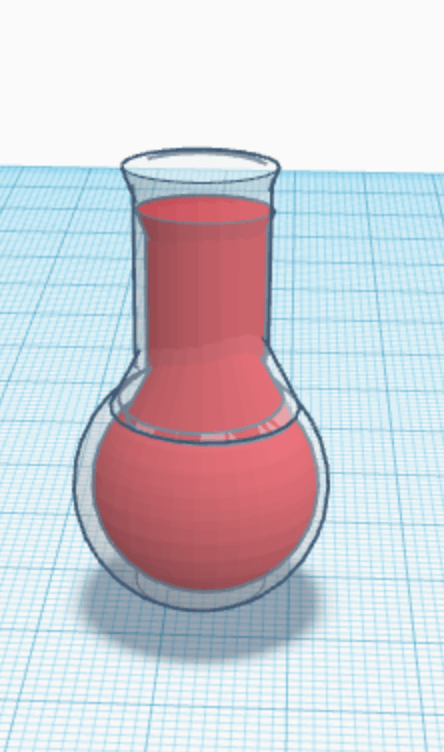
Okay so for the flask, I’m like 100% sure I did it wrong but it looks right so I just went with it. I used a sphere, two cones, a cylinder and a cube hole, and then duplicated the original shape and made it slightly smaller and put it inside for the red liquid. I didn’t do as much work as you showed but it looks alright.

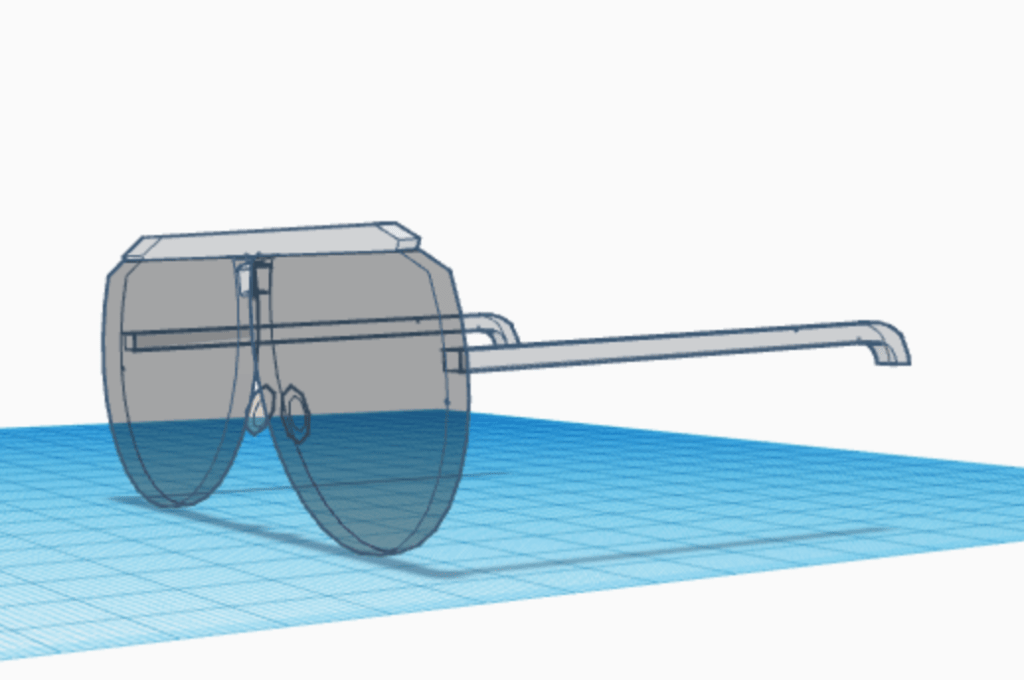
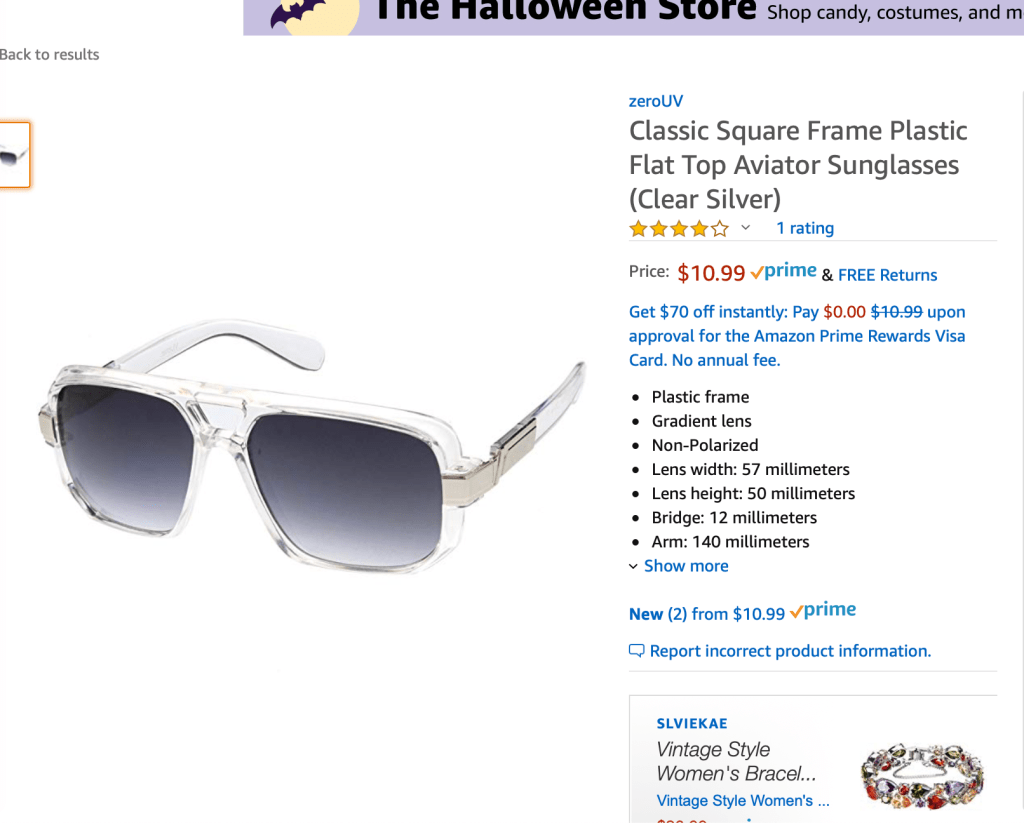
And finally, the aviators. Not gonna lie, I used tutorial for these. I used some cubes, and rectangles, and spheres, and diamonds, and all this other stuff and it took like an hour in total. But then, the tutorial didn’t make the lenses transparent, and bit this time I was so far gone that I couldn’t just make the lenses transparent, so I just made the whole thing transparent and hoped for the best. Transparent aviators are totally a thing, and to prove it here is a picture of some I found online to buy.

Also these are really ugly.

Blog Journal 7

As a teacher, especially a new one, I think having a course website would be very helpful. Although there is a lot of up keep with them, having somewhere where students can find information before asking me would be super helpful and efficient. On there, i would be able to post notes that absent students miss, as well as assignments and a calendar.

An interesting software I would like to use in my classroom is Grammarly. Grammarly is an extension software you can put on your browser that will follow you as you type and highlight mistakes you make, such as spelling and grammar mistakes. In a classroom, this can be helpful for students to proofread their essays and work before turning them in and losing points for bad grammar.

https://www.grammarly.com/

In the future, I expect to use the electronic spreadsheets that is mentioned in chapter 5 of the textbook. Currently, I am looking into Master’s Programs and I use an Excel spreadsheet to keep all of the important information in one space, such as deadlines for applications and scores i need for the GRE. As a teacher, i would imagine that using this service would make it easier to keep things in order, such as lists with students names and maybe lunch numbers, and dates with special events.

As for the Web Evaluation assignment, I did not complete this assignments, but I looked at the examples and it seems as though I would have been very helpful. The set up seemed to look difficult, and I feel like I would have struggled coming up with questions to ask, but those would have been good skills to have.

I commented on Benjamin and Jordan’s blogs!

Blog Journal 6

While I was in High school, it wasn’t until my senior year that some of my teachers created class websites. Therefore, I chose to look at my high school webpage for this assignment.

https://ths.lake.k12.fl.us/
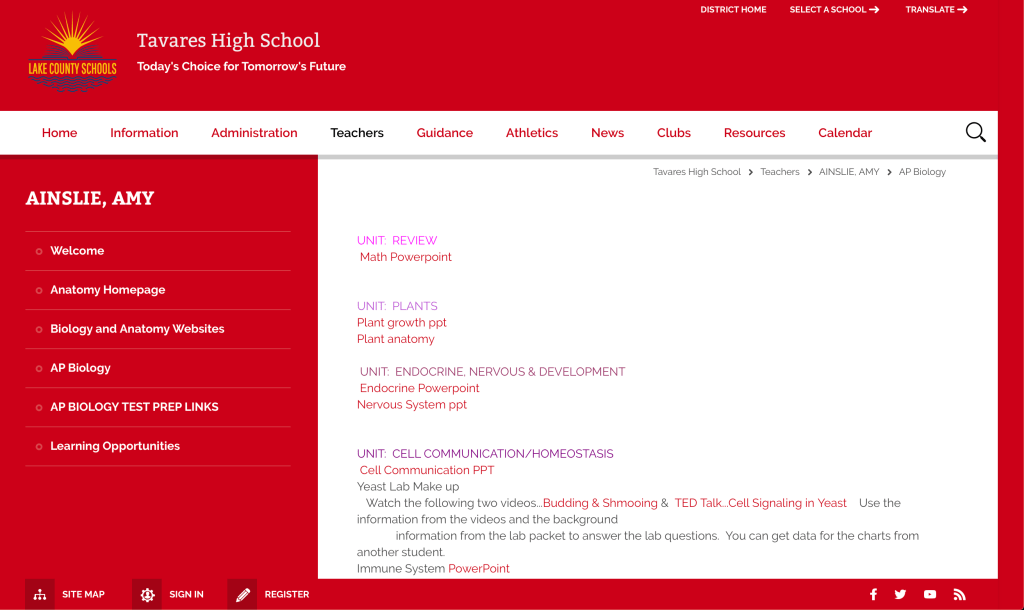
https://fl01000799.schoolwires.net/Page/51833

The teacher page I chose was my Anatomy teacher, who was also my AP Biology teacher my senior year. I remember in her class she told us that all of the videos she showed would be on her page, as well as worksheets she gave us in case we needed them when we got home. On her webpage, she sectioned everything out by the unit we work on, and she would link her powerpoint per chapter for the students who missed classes, but as you can see, even non students can look at the page and see what is happening in the class.

Using Twitter as anything other than a personal social has been very interesting. The tweets I have made have been on educational pages, and other classmates tweets. In the future I could use twitter to engage with parents and other clients in the work field, but I don’t think this would be the first way I would like to use.

I commented on Jordan’s and Sheighlin’s posts!

Blog Journal #5

As a teacher, I would feel the most comfortable teaching the ELA Standard W/WHST.8, where the point is to gather information from different sources, find their creditability, and use the information while not plagiarizing. This is something I have been practicing for years in school, and therefore is something I would be able to teach well. I feel as though teaching Standard L.5, clarifying meaning with context clues, will be harder for me to teach. I personally feel like I am able to figure these things out on my own, becasue a lot of times it is common sense, however it can be really hard to teach common sense and i would need more materials and learning to see how I can help students with these skills.

In the future, I would like to use applications such as Google classroom, and educational websites such as spellingcity.com. Using google classroom will give the students a way to include themselves in a community outsdie the classroom, where they can ask eachother questions, answer other people questions and explore the world in a safe environment. Another software i have become more knowledgable in is the MIT App Inventor software, where students can build and create apps for phones. Using this new technology will give them onsight on a new career path they could take, or just give them a new hobby they can do. In a 3rd grade classroom, citizenship with technology is one of the most important things we can teach in this day. Some things on the list in our textbook are simple and normal, like being nice and using critical thinking skills. However, respecting intellectual property, and protecting theirs and others identities is somehting thats isnt taught in schools. Students should understand what intellectual property is and how it can be stolen or misused. Also, protecting their identities is the biggest problem for children on the internet now becasue there can and will be bad people that want their information, and without someone there to help them, they can give it out and be tremendously hurt in the long run.

During the Newsletter assignment, I got very frustrated. I have never used mail merge before, and I am not sure if its because I have a Mac or the newest Microsoft Office update, but the instructions I was getting and the way it looked on my computer didn’t look the same. I ended up having to use Excel also to make a table with the parent and student information, and then merge it from there, but it all ended up working in the end. I feel that now, I have a better understanding of the mail merge process and if I needed to use it again then I could. This could be used in my future for letters to family or just as it is now, a parent letter to home.

I commented on Sheighlin’s and Jordan’s posts!

Blog Journal 4

The Dynamic Instructional Design model is made to make the lesson planning process easier and more efficient in designing lesson plans for classrooms. This makes it so that teachers can specify lesson for their students and focus on what they really need to know, rather than the basic and vague descriptions of things. The lesson plan I found is one for 3rd-8th graders learning about life science. In this lesson students will make an edible coral polyp and learn the structures of the species along the way.

To begin, this lesson plan is very broad in the students it can serve. There doesn’t seem to be any prior knowledge needed to be on topic, because the lesson can begin with some vocabulary and a discussion about the topic. Next, the objectives for the lesson seem to be pretty simple as well, but they are very speccific to the lesson and discussion, like the students will build simple polyps and they will understand why coral is an animal and not a plant. These objectives show what the student will know and do, and not completely based on the teacher. This lesson plan also has clear learning strategies, like the group discussion they will have and the building of the polyp, which are directly correlated to the objectives for the lesson. This lesson does not require any technologies like computers and I think thats why I like this lesson, because not everything in classes should revolve around a computer. At the end of the lesson there is a review time where students can ask lingering questions abput the topic and I feel that this is one of the most important steps in the lesson because no matter how great the activity may be, the student can have a very important question never answered and that would be all they remembered. In all, this plan covers almost all of the bases for the lesson they are trying to teach, and I don’t believe there is much I would change.

Lesson Plan Link: https://www.calacademy.org/educators/lesson-plans/build-a-coral-polyp

Open content and open source are different because open content is any content other than software that is licensed and is free for the public to use, while open source is the software free to the public. There are sometimes restrictions on open resources such as the need for a specific license or prohibiting commercial use, which make these less open than others. there are also some choices made by the owners that can make using the open content harder to point that it is questioned if they are even open anymore, such using a format that is really expensive to edit, or making it so hard to edit that there must be a level of expertise to be able to use it. Source

I also commented on Sheighlin’s and Jennifer’s Post 3!

Journal 3- Teamwork

So, the assignment is to make an app in a group and I’m out here not knowing how to do any of this crap. I honestly feel bad for my group mates, being that I’m a Family and Child Sciences major, because all I can bring to my group is bad jokes and too much awkward energy.

When we bagan this project, Cody immediatly came with an idea for a tip calculator, which is way better than my dumb click a button and open twitter idea. At one point during the brainstorm session, they asked for my opinion and I basically said I dont know crap, y’all got screwed with me as a partner. However, I quickly volunteered to take notes, draw pictures, and basically take care of everything other than the actual programming. Like I have a Mac and an Iphone and I dont know the difference, I’m basically useless to technology.

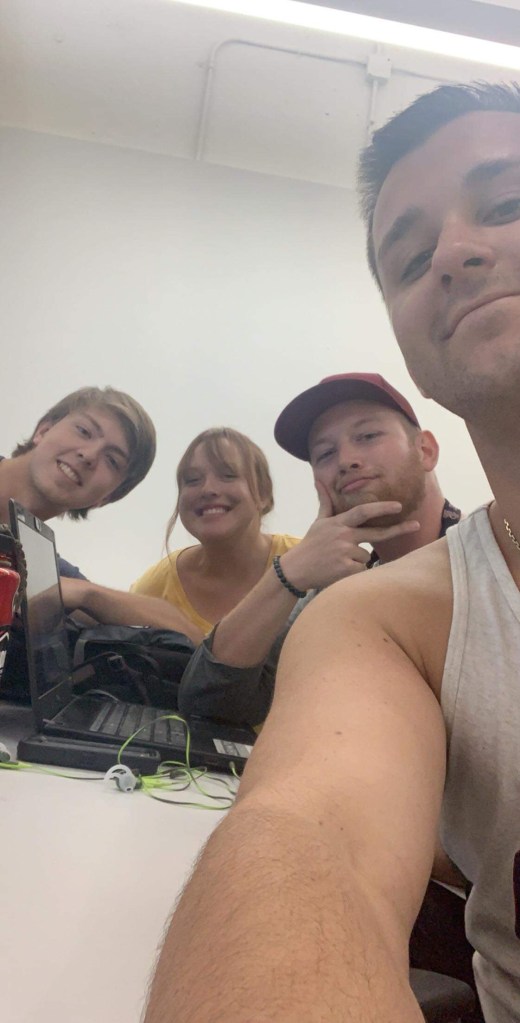
Here is a super cringe selfie that is mostly Roberts arm, but thats okay.

Yesterday we were planning on working on the app in class, but we only had 20 minutes, and in those 20 minutes all we did was talk about what time we should try to meet up and get things done. However, we were able to get everyone in the same room for 4 hours on Wednesday, AT 9 AM! LIKE WHO’S IDEA WAS THAT? But we were all there and we got stuff done which is is nice, even though i have no idea what happened and im just writing things down that they say and hope that it means something to you. To me, it seems like we are almost done, but I’m not a programmer so I really dont know, but we got like 3 screens done, and if it was me then I would say that it’s done.

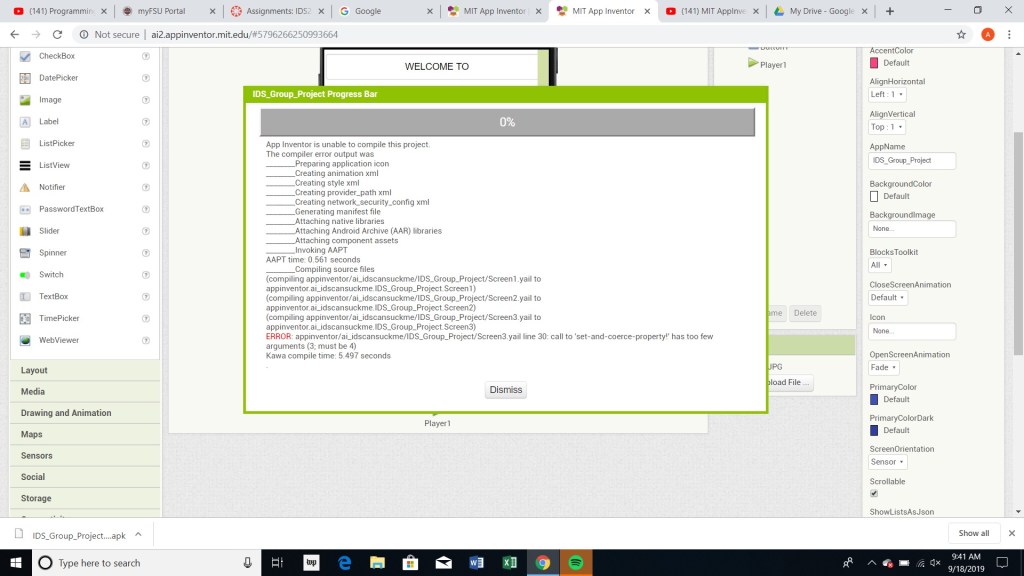
Also her is an error message Andrew got and I don’t know what it means but looked high tech.

Blog Journal 3

As a student, I have used Microsoft Word to write essays for the most part in schools. Last fall semester, I took the computer competency class, and through there I learned how to get the most from MS Word. I have had to make flyers and such for clubs and other projects, as well as placing pictures and other images before printing them. I can only assume that may teachers used MS Word to make quizzes and tests and other assignments. I also remember a teachers I had using MS Word to write notes on the board, and organize notes from powerpoint outlines.

Throughout my school, I have only had one issue with copyright and fair use. In the seventh grade, I had a project in my English class and I was given a zero for the project because my teacher believed had been plagiarized. However, my teacher never gave me the reasons why or showed me how I could fix the paper and from there I have always been very afraid of making a mistake and making it seem as though I am trying to use someones work as my own. Otherwise, since I have come to college, I have come to realize the importance of citing sources, knowing now how hard people work to get their information. As an educator I would make sure to give my students clear instructions and maybe do some activities to make sure they understand the importance of citing and fair use, as well as how they should do it.

A problem discussed in the textbook was integrity and academics. Personally, I remember using my phone for assignments whether I was allowed to or not, but in this day and age, this is becoming more of a problem. When assignments are done online, it can be difficult to not cheat on assignments with the internet. However, to combat this in my classroom, I would try to make most assignments on my own, so it won’t be possible to find the worksheet answers online, but also try to encourage people to use their tech to find help, now that we are in an age where all information is a fingertip away.

In the future, I want my classroom to be a safe place for everyone, of all races, genders, and even ages. Freedom of speech is something I heard a lot about while in school, that people can say whatever they want and not get in trouble because of Freedom of Speech, but I feel like this isn’t the way to go about things. Students should be able to speak their mind, until they are intending to hurt someone else. An example of this is when a friend of mine would talk about their teacher, saying mean things and making rumors that may not be true, but they said they could say them because of Freedom of Speech. The rumors ended up being so mean and ruining the teachers reputation and they ended up leaving their job. While this may be a constitutional right, somethings need to be monitored in order to have a safe environment. In order to avoid these problems, having clear rules and expectations fort the classroom and respect. This leads me to the next idea, which is cyberbullying. Cyberbullying is becoming an even bigger problem now that technology is becoming more prominent in classrooms. With classrooms becoming more and more online, having a space for students to talk and discuss material can cause problems where kids will make mean comments to each other. In order to keep this low, having instructors in the loop by being able to see all comments and activities in school work online.

EME2040 Blog 2

As someone who is still a student, but wanting to become a teacher, the use of technology in classrooms is something I have had to become more familiar with each and every year. For teachers, technology wasn’t always something mandated, but there are now standards set in place by not the districts, but also by the states. While the use of technology in classrooms has become more popular for students, teachers are now able to become more efficient with work, such as easier access to new lessons and activities and work. It seems as though this new age has become less of a burden, but more of a saving grace for some teachers.

Students, on the other hand, seemed to have taken on this new age easier than teachers have. The ability to use technology has given students a more in depth education. The internet is full of new opportunities to get help, such as tutoring sites, and even blogs, to use when they aren’t able to get help from their teachers or parents. Technology is influencing kids to find the answers faster and easier than they ever could before, instead of giving up and not doing well on assignments. Their drive to achieve will help motivate them to get the help from technology.

The ISTE standards are in place for educators to introduce, and teach with, new technology. The standard 2b, “Advocate for equitable access to educational technology, digital content and learning opportunities to meet the diverse needs of all students,” shows how educators should be reacting to the technological divide. This standard is meaningful to me because all over the world, and even in the United States, some students are less fortunate than others and therefore they are given less opportunities in life, beginning in school. It has been shown that students below the poverty line are more likely to not succeed in school as well as others on the opposite side. Therefore, this standard makes educators accountable for their students and making sure they are given the same chances that other students are, in order to get everyone in their class on the same page. However, a standard I think will be hard for me is 5c, “Explore and apply instructional design principles to create innovative digital learning environments that engage and support learning,” because I feel as though I struggle to be creative with not only technology but all forms of environments and skills.

Growing up, I remember always seeing teachers not being as in touch with the technology we were using, whether it was the DVD player and the TV or the new smart boards that had been installed over the summer. Either way, I felt as though I knew more about the technology than they did. That being said, I think the term “digital native” would be correct interpretation of the generation today. In order for someone to be digitally native, they would have to have grown up in the society where technology is being created everyday, and have the knowledge of how to use it. I suspect that as we grow through time and become more advanced, this idea that students are more adaptive to new technology will only continue, and I will become the teacher that needs her students to help with the computers.

Journal 2- App Inventor

With my lack of experience working with technology, the thought of “programming”, even for dummies, was scary. App inventor give you so many options to use, the Legos, but yet I was still having troubling figuring out what to do and how to do anything. 
To begin, I started with what we were shown to do in class, with the button and the labels and when you press the button, something with the label’s changes. From there I made it so I when I clicked the button, my label became seven times the size it was before. But that wasn’t enough. I started trying to mess with options we hadn’t discusses in class, like the date changer and the timer. However, I decided those were both too advanced for me once I got to the blocks and there were too many options. 

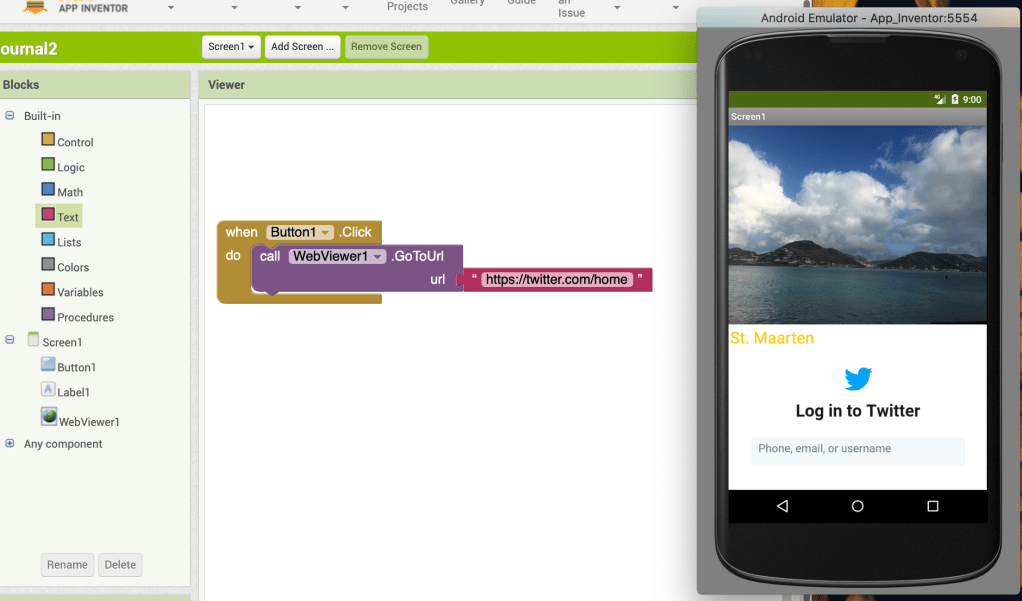
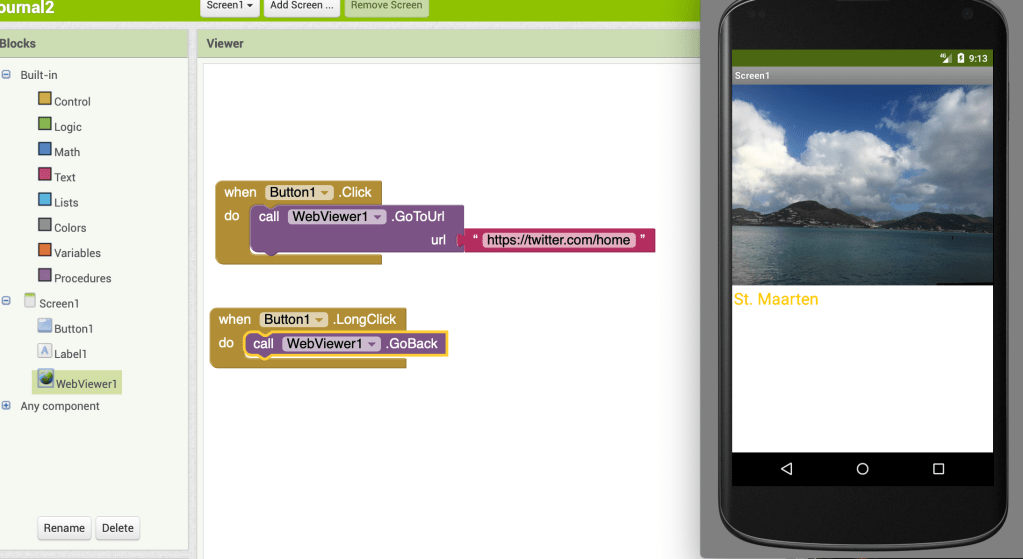
I finally decided that I want to try something somewhat simple, and something that I feel like every app has, a button that takes you to another website. I figured out how to set the button up so when there’s a long click, it will open up a website, in this case Twitter. With this experience, I was able to figure out that there isn’t really a way to mess up, as long as you have blocks in places, something will happen when you touch the button.